
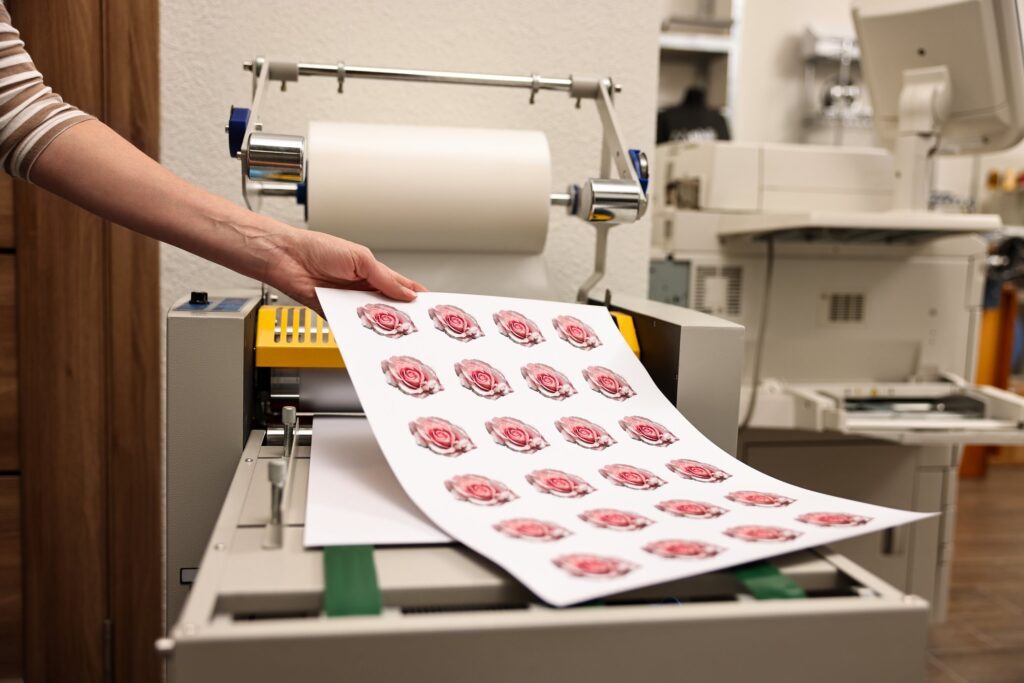
The best sticker printer for most people starting out is an ink tank inkjet like the Epson EcoTank ET-2900, paired with a Cricut Joy Xtra to cut the stickers out. At home, a finished, laminated 3 inch sticker costs about 8 to 15 cents in paper, laminate and a little ink, while StickerApp listed 100 die-cut stickers for $52, so a $369 printer and cutter only pay for themselves after roughly 850 to 1,000 stickers.
I haven’t owned or tested any of these printers or cutters. The picks come from the makers’ own pages and prices I checked on November 26, 2026, plus Etsy listings I read the same day to see what stickers sell for. Prices change often, so check the current price before you buy.
Quick picks
- Best printer for most people: Epson EcoTank ET-2900, $239.99 list on Epson’s site (on sale for $199.99 when I checked), refilled from $17.99 ink bottles
- Best for bigger sheets: Epson EcoTank Photo ET-8550, $749.99 list on Epson’s site (on sale for $499.99 when I checked), with six colors of ink
- Best cutter to start: Cricut Joy Xtra, $129 on Cricut’s site, cuts printed stickers from a letter-size sheet
- A bigger Cricut: the Cricut Explore 5, $199 on Cricut’s site, from the Explore series that Cricut lists for printing and cutting 11 by 17 inch sheets
- All in one machine: Cricut StickerPix Print + Cut, $249 on Cricut’s site, which prints, laminates and cuts in one step using its own sheets and ink cartridges
As an Amazon Associate I earn from qualifying purchases. The Amazon links here pay me a small commission at no extra cost to you.
Why an ink tank inkjet
Sticker sheets can use a lot of ink, so the price of refills matters more than the price of the printer. Epson’s ink tank printers refill from bottles, and the 522 bottles the ET-2900 uses are $17.99 each on Epson’s site, with the ET-2900 page listing a yield of 4,700 pages for black and 7,500 for color. A cartridge printer like Epson’s own WorkForce WF-2930 is rated at 150 pages for a standard black cartridge, which is why I’d skip cartridge printers for stickers. Canon also sells MegaTank printers, but I didn’t check their ink prices or yields.
Those yields come from Epson’s standard test pages, which print far less color than a sheet full of stickers, so real ink use per sheet will be higher, and I couldn’t find a published number for it. Stick with an inkjet either way, because Cricut’s printable vinyl instructions say the material is for inkjet printers only and that a laser printer can damage it.
Picking a cutting machine
A cutting machine reads marks the printer adds around your design and cuts around each sticker, which Cricut calls Print Then Cut. Cricut’s help page on how large you can Print Then Cut gives a cuttable area of 7.44 by 9.94 inches on a letter sheet for the Joy Xtra, Explore and Maker machines. On an 11 by 17 sheet it’s 9.94 by 15.94 inches, for the Explore series, Maker series and Venture only. The original Cricut Joy can’t do Print Then Cut at all, so check the model before you buy a used one, and check the page sizes Design Space offers for your machine before you buy tabloid paper.
Inside that area, I worked out that you can fit about 12 two-inch or 6 three-inch square stickers on a letter sheet, or 28 two-inch and 15 three-inch stickers on a tabloid sheet, leaving an eighth of an inch between them. Cricut says the area isn’t a perfect rectangle, so your real count may be a little lower. Cricut’s Print Then Cut how-to lists Design Space, a compatible machine, a printer and materials, and doesn’t list a Cricut Access subscription. Silhouette’s Portrait 4 ($189.99) and Cameo 5 ($279.99) also print and cut, but I couldn’t confirm their cut areas.
Sticker paper and laminate
Cricut’s own Printable Vinyl was $20.99 for 50 letter sheets on sale at Cricut’s site (list $34.99), which is 42 to 70 cents a sheet. Other brands, like Koala matte printable vinyl, came to about 30 cents a sheet in a 50-pack, and clear self-adhesive laminate sheets to about 19 cents a sheet in a 100-pack. The laminate goes on top of the printed sheet before cutting.
Cricut’s Print Then Cut how-to warns that with other brands’ materials, darker colors, high-gloss finishes or holographic patterns can confuse the machine’s sensor, so I’d test a small pack of any vinyl and laminate before buying in bulk, and start with matte vinyl.
Be careful with the word waterproof, because Cricut only calls its Printable Waterproof Sticker Set (printable vinyl plus a laminating sheet) waterproof and UV protective. Even then it says to handwash decorated items, that dishwasher heat and detergent may shorten their life, and that printer ink can still fade. I’d describe home-made stickers as water resistant and leave out “dishwasher safe”.
As an Amazon Associate I earn from qualifying purchases.
What one sticker costs at home
The cost per sticker is paper plus laminate plus about a penny of ink per sheet, based on Epson’s test-page yields, divided by how many stickers fit on a letter sheet. Real ink use will be higher, and blades, mats, misprints and your time aren’t included.
| Vinyl, laminate and a penny of ink | Per sheet | Per 3 inch sticker (6 a sheet) | Per 2 inch sticker (12 a sheet) |
|---|---|---|---|
| Other-brand matte vinyl (about $0.30) + laminate (about $0.19) | $0.50 | $0.08 | $0.04 |
| Cricut Printable Vinyl on sale ($0.42) + laminate | $0.62 | $0.10 | $0.05 |
| Cricut Printable Vinyl at list ($0.70) + laminate | $0.90 | $0.15 | $0.08 |
Home printing or a print shop?
Print shops cost more per sticker but need no equipment, and you get die-cut vinyl from a commercial printer. StickerApp’s die-cut sticker page listed 50 stickers for $36, 100 for $52, 200 for $77 and 300 for $97, though the page text didn’t say which size those prices are for. Sticker Mule’s price tool wouldn’t load for me, but its deal page gives the normal price of 50 three-inch die-cut stickers as $72, which is $1.44 each, with free shipping.
| How many | StickerApp, per sticker (size not stated) | At home, per 3 inch sticker |
|---|---|---|
| 50 | $0.72 | $0.08 to $0.15 |
| 100 | $0.52 | $0.08 to $0.15 |
| 200 | $0.39 | $0.08 to $0.15 |
| 300 | $0.32 | $0.08 to $0.15 |
The ET-2900 at its $239.99 list price and the Joy Xtra (on sale from $179) come to $368.99. Against StickerApp’s 100-sticker price, and assuming those are close to 3 inches, each home-made sticker saves about 37 to 44 cents, so you’d need to make roughly 850 to 1,000 stickers before the equipment pays for itself, or about 270 to 290 against Sticker Mule’s $1.44 for a 50-pack. If you’ll sell fewer than that in your first year, ordering from a print shop is cheaper, and you only pay for designs you’ve already tested.
Art, fonts and Cricut’s rules
If you plan to sell, the art has to be yours or properly licensed. Cricut’s Angel Policy says: “Sheets of stickers are considered multiple individual ‘cuts’, so the Angel Policy does not authorize you to produce and sell individual stickers or sheets of stickers using images or content in Design Space.”
The same policy bans licensed characters like Disney and Marvel under any circumstances, so I’d only use Design Space to cut art you made yourself or hold a license for, not to find designs to sell. Fonts follow their own rules, because the US Copyright Office lists “typeface as typeface” among things that aren’t protected by copyright, but the font file you download comes with its own license, and some limit use to personal projects. Read each font’s license before you put it on something you sell.
Can you make money selling stickers?
I read the first page of Etsy results on November 26, 2026, leaving out ads, digital files, custom orders and cut-vinyl decals, so these are ready-made printed stickers. They’re asking prices, not sold prices, and the search shows each listing’s cheapest option. For fees I used Etsy’s US rates of $0.20 a listing, 6.5% a sale and 3% plus $0.25 for payment processing (they’re explained in how much Etsy charges), assumed each listing sells once, and left out shipping and Offsite Ads.
Can you sell it? Yes, if the stickers are your own art, but start with a print shop order.
- What it takes: your own designs, plus either a print shop order (32 cents to $1.44 a sticker, depending on the shop and how many) or a printer, cutter, printable vinyl and laminate (about 8 to 15 cents a 3 inch sticker, counting only a penny of ink a sheet).
- Similar pieces sell for: 20 single laptop stickers on Etsy ran from $1.51 to $12.53. Half were priced between $3.05 and $7.11, the median was $4.72, and 12 of the 20 had a Bestseller badge. Sticker sheets had a median of $5.83 across 24 listings.
- My take: at $4.72, Etsy’s fees come to about 90 cents, which leaves about $3.67 to $3.74 a sticker made at home or $3.30 from StickerApp’s 100-pack, before packaging and postage. That’s a good margin, but the sticker pack search was full of 50-piece packs at $2.73 to $6.35, so a plain or generic design would be competing with those packs on price.
Stickers are one of 13 crafts I compare the same way in my list of things to make and sell, if you’d like to see how they stack up against candles, soap and crochet.
How I’d start a sticker business
- Draw five to ten designs of your own around one theme people search for, like a hobby, a pet breed or a job.
- Order 50 or 100 of each from a print shop instead of buying equipment, so the first money goes to testing designs.
- List them on Etsy with clear photos and a size in the title, and price them with the pricing formula for handmade items so fees and packaging are covered.
- Once a design keeps selling, or you’re making several hundred stickers a year, a printer and cutter start to pay for themselves.
If you’d rather press designs onto mugs and tumblers, my guide to the best sublimation printer for beginners runs the same numbers, and these Cricut hacks save money on tools if you already own a Cricut. If you’re new to selling online, the guide to selling on Etsy walks through opening a shop.
Happy designing, and good luck with your first sticker sale!
Leave a Reply